CORELITE

Corelite — Professional restreamer

Stable HLS / MPEG-TS output, M3U playlists, strict ACLs, hardware-bound licensing. One server. Zero compromises.

HLS:7500
MPEG-TS:7600
Xtream:7700
FFmpegauto
Corelite admin preview
▣ Corelite

What is Corelite?

Corelite is a Node.js-based restreaming server engineered for IPTV operators, hobby streamers and resellers. It takes any input source (IPTV / HTTP / RTMP / file) and delivers low-latency HLS or MPEG-TS to your users, with strict ACL rules, per-user channel packages, playlist generation and country-level GeoIP blocking.

Under the hood: child FFmpeg processes managed by a robust supervisor, automatic restart on stalls, real-time progress reporting, and a hardware-bound licensing system that ties your install to a single physical server.
— Features

Features

Live Restream — HLS & MPEG-TS

Push any IPTV, HTTP, RTMP or file source through Corelite and deliver low-latency HLS (default :7500) or MPEG-TS (default :7600). Built-in stall detection automatically restarts FFmpeg children when the input freezes — your viewers stay online.
Live Restream — HLS & MPEG-TS

M3U Playlist generation

Each user gets a personalised M3U playlist URL with only the channels in their package. Playlists update in real time when you reorder or add channels — no client refresh needed.

M3U Playlist generation

Strict ACL & Security

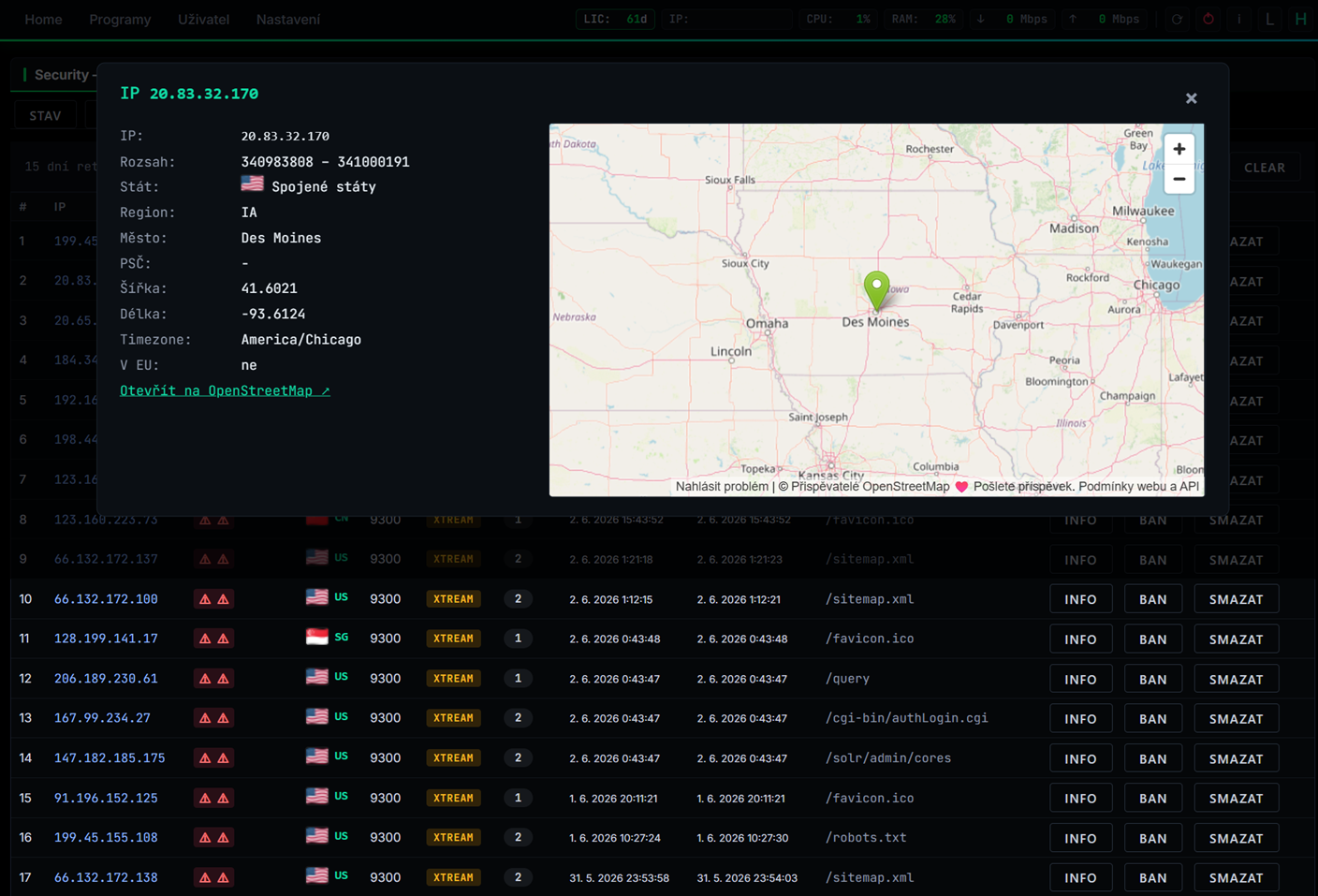
Per-user IP whitelist, country GeoIP blocking (offline MaxMind database), max concurrent connections per stream and per user, brute-force protection on admin, and a built-in security panel that shows you on a map who is connected from where.

Strict ACL & Security

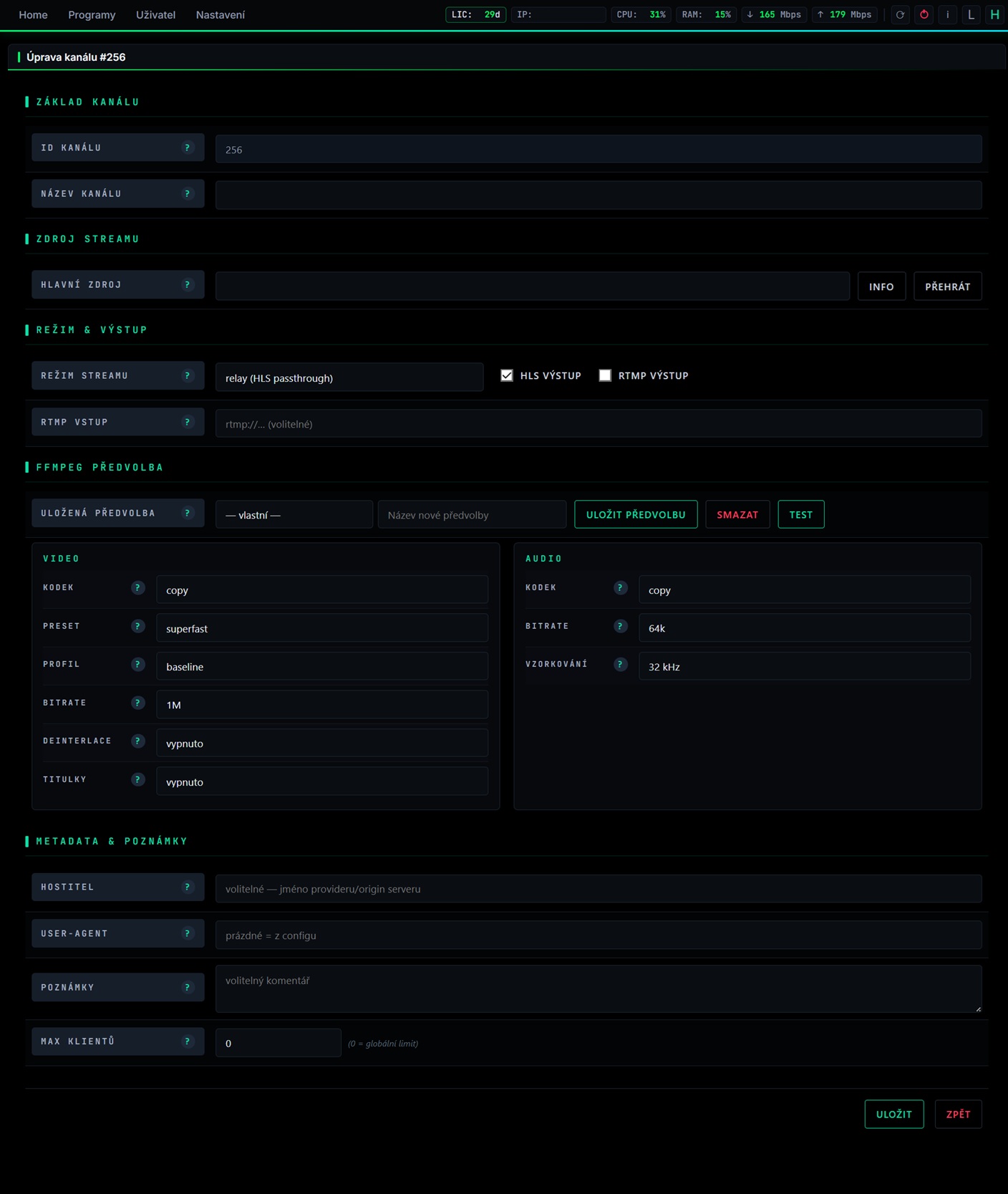
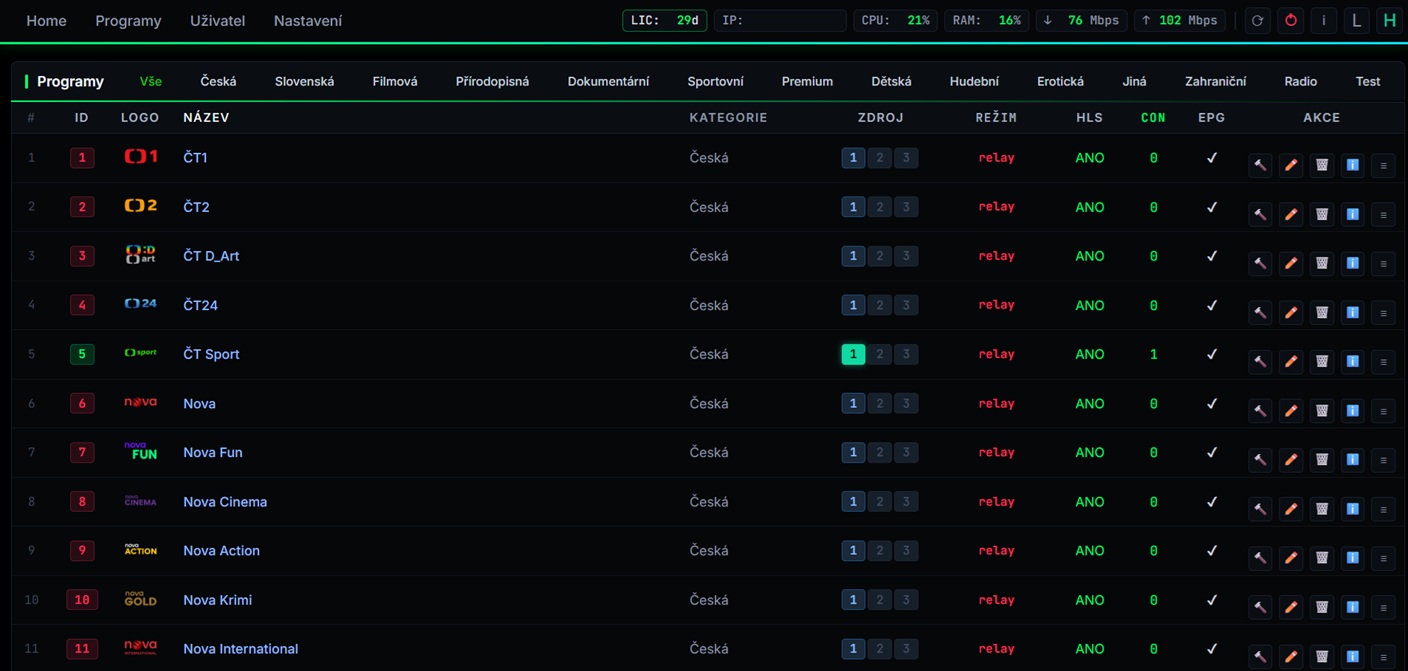
Kontrola nad vloženým programem

Přívětivé rozhraní kde je vidět všechno důležité nastavení o programech

Kontrola nad vloženým programem

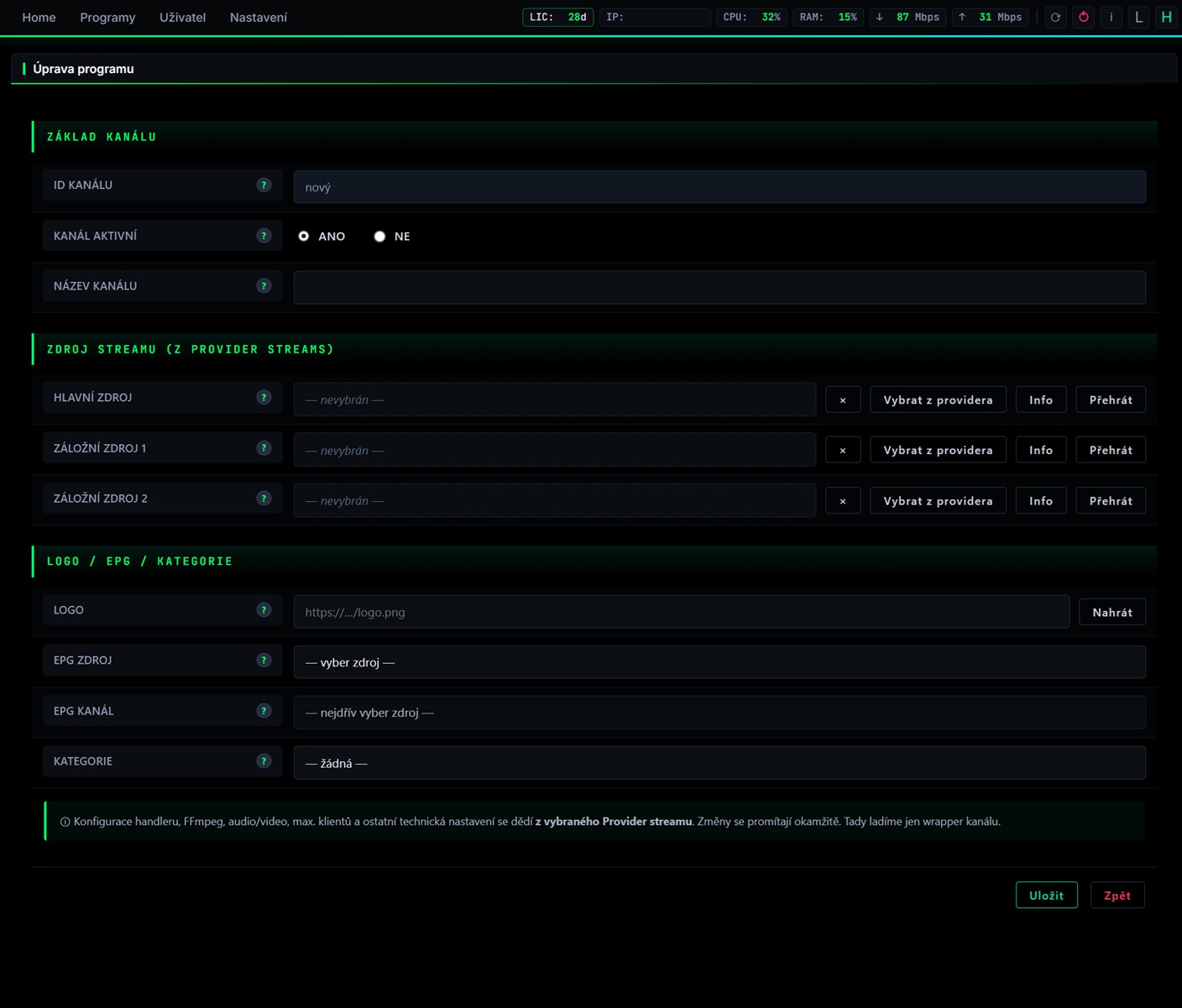
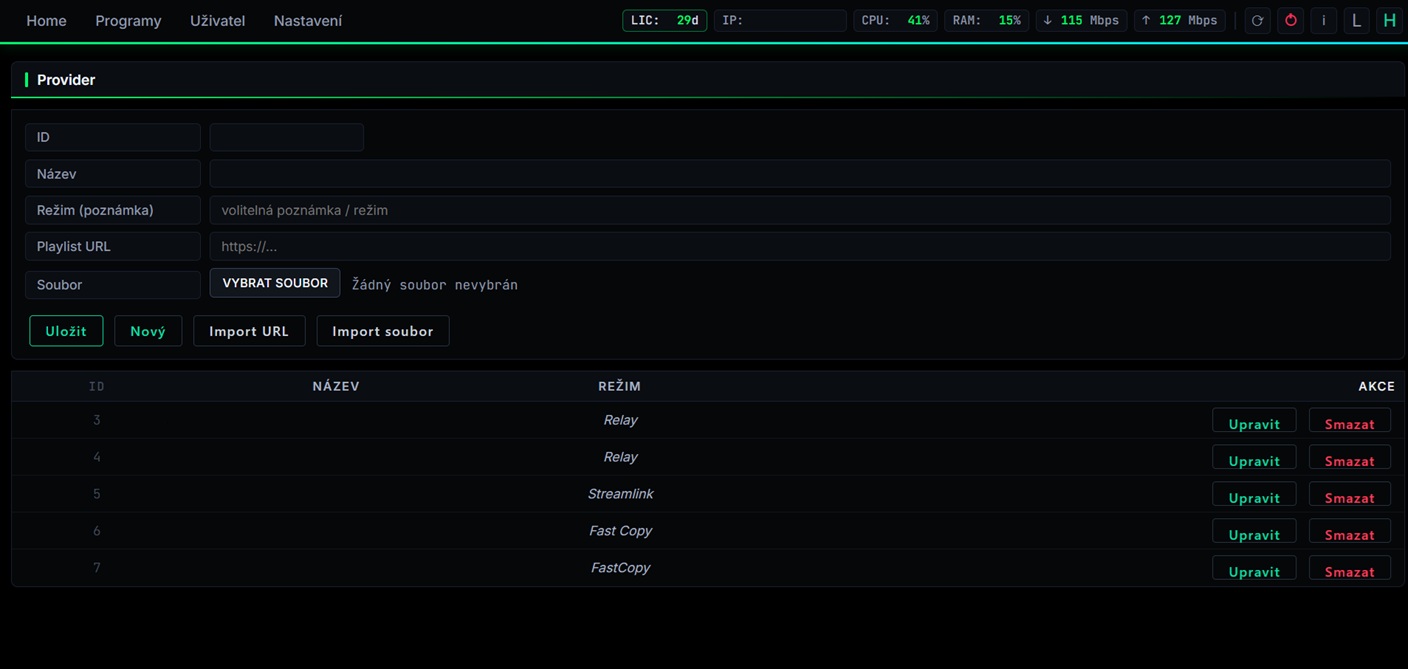
Modern Admin Dashboard

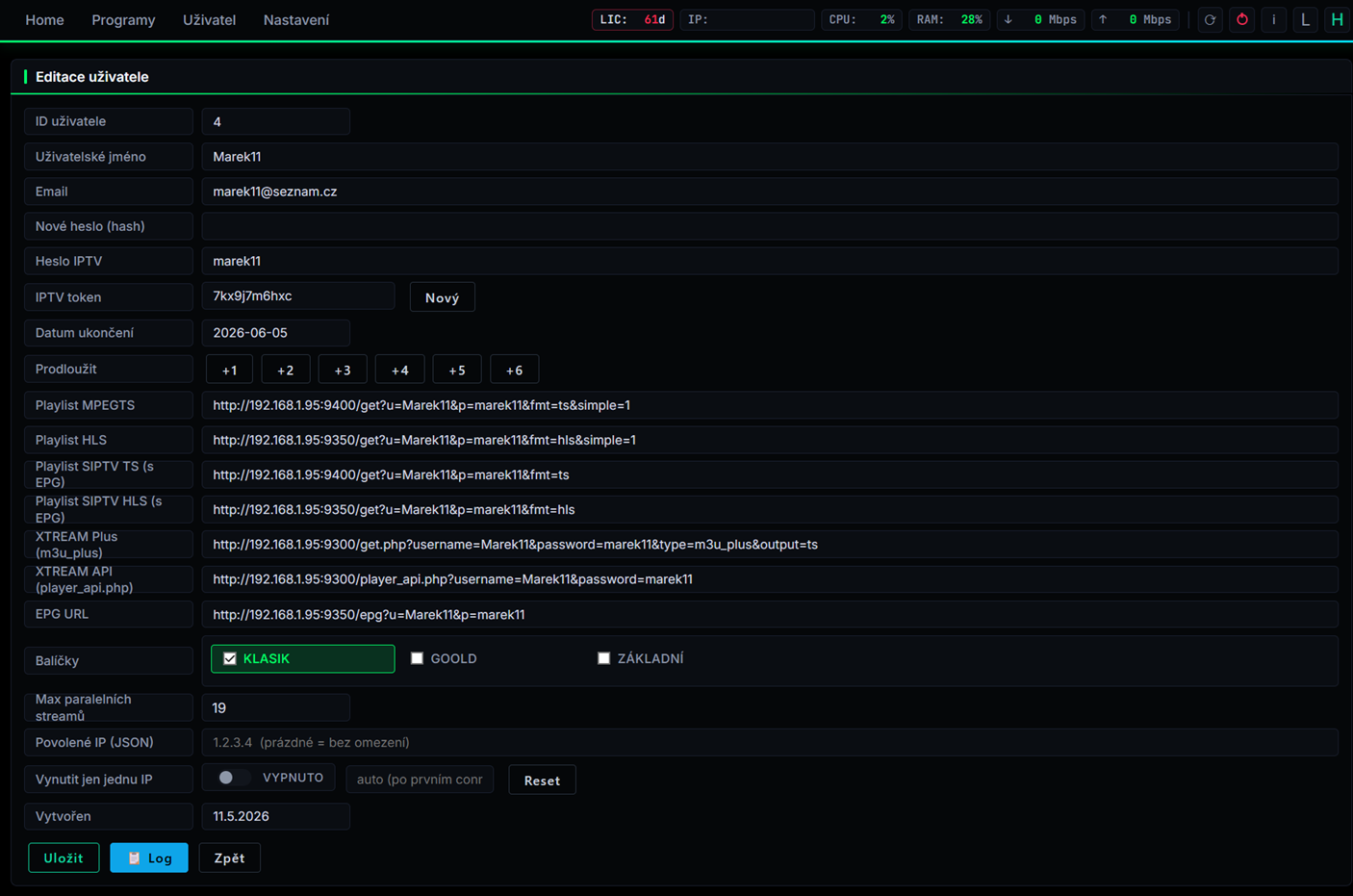
Web UI to manage users, channel packages, streams, reseller accounts and live status. Real-time stats (RAM, CPU, bandwidth, active connections), backup scheduler, EPG manager.

Modern Admin Dashboard

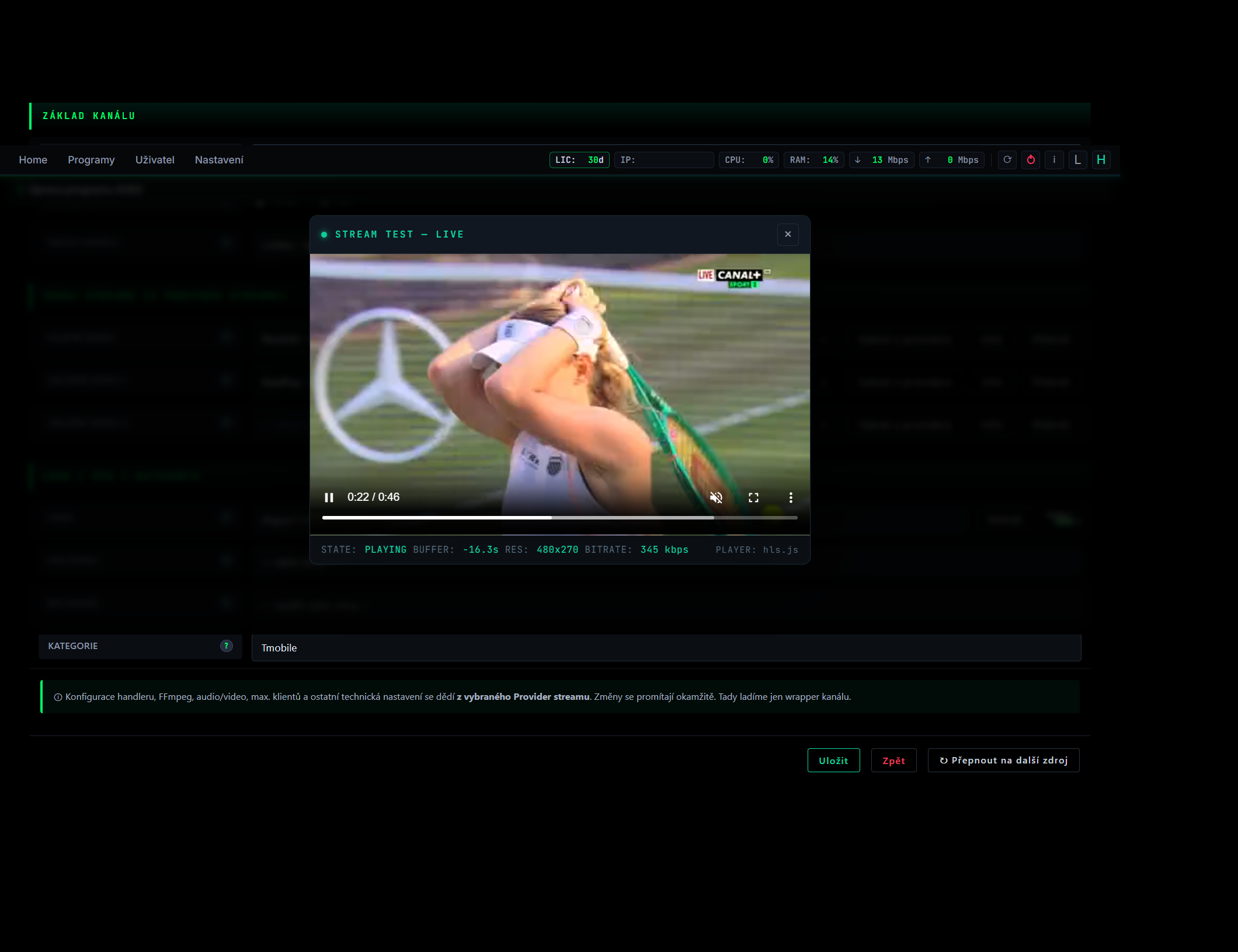
Built-in HLS Player

Test any stream directly from the admin UI with the built-in hls.js player. Pick HLS or MPEG-TS, see frame stats, switch quality on the fly.

Built-in HLS Player

Granular Settings

Tune HLS segment length, list size, auto-stop timer, max clients per stream, FFmpeg silent timeout, EPG retention and update interval — everything from one settings panel.

Granular Settings
— Settings

Settings

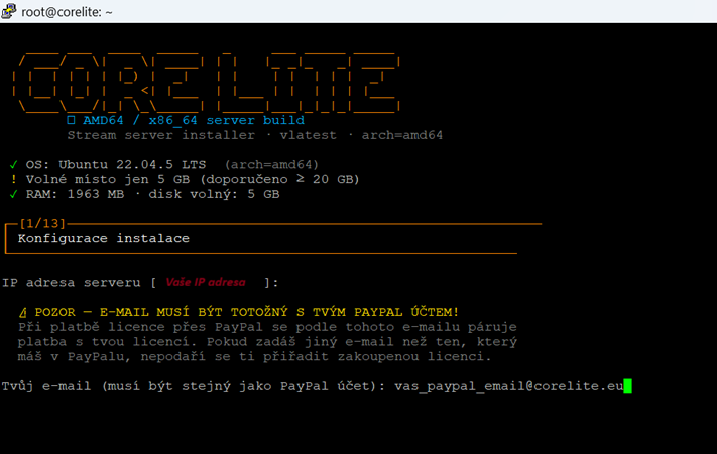
Jednoduchá instalace

Po instalaci čistého serveru Ubuntu nebo Debian (Funguje také na procesorech ARM64) se přihaste jako root a spusťte instalační skript curl -sL https://install.corelite.eu/install.sh | bash, při instalaci se vás instalátor zeptá na IP (stačí odkliknout bez zadání) po té po vás bude chtít instalátor email (email by se měl shodovat s emailem od PayPal aby se daly indentifikovat platby za licence)

Jednoduchá instalace

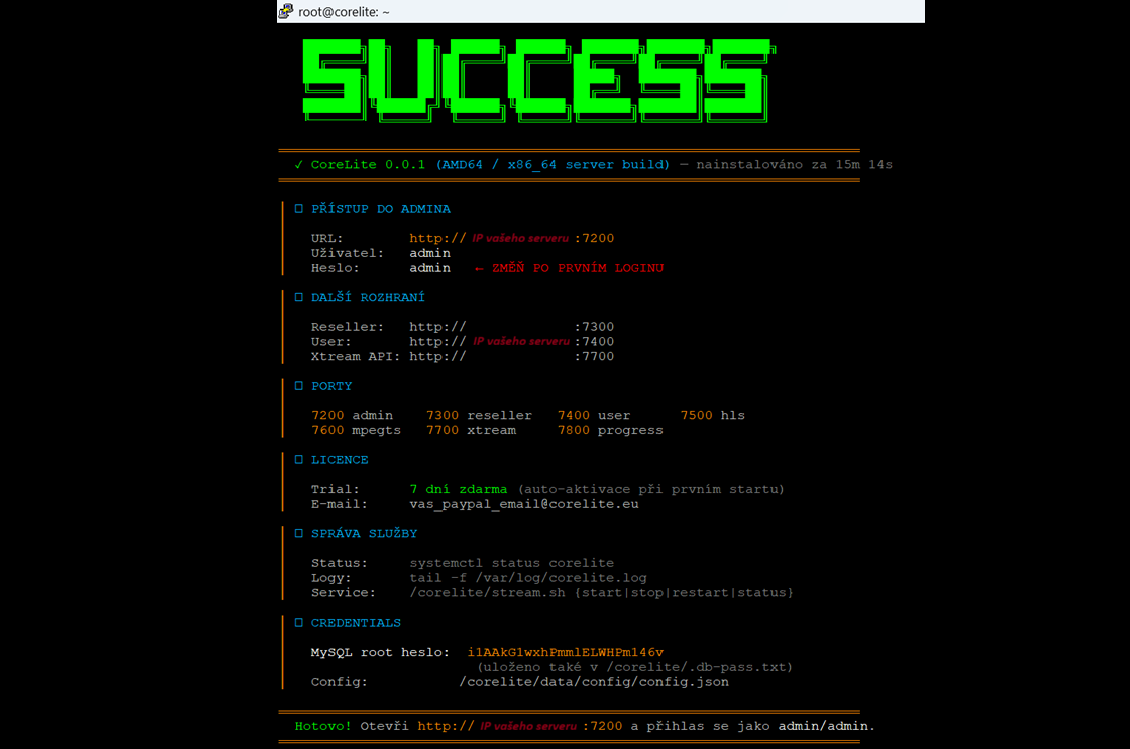
Dokončení instalace

Po dokončení instalace máte ve výpisu všechny důležité informace pro spuštění webového rozhraní pro ovládání Restreameru, věnujte pozornost změně jména a hesla, všechny důlležité nastavení najdete v nastavení/nastavení corelite

Dokončení instalace
— Hardware

Minimal & Optimal hardware

Ubuntu 22.04 / 24.04 or Debian 11 / 12 — clean install.

Minimum

CPU
2 vCPU
RAM
2 GB
Disk
20 GB SSD
Net
100 Mbps
Streams
~10 concurrent streams

Optimal

CPU
8 vCPU (modern Xeon / EPYC)
RAM
8 GB
Disk
80 GB NVMe
Net
1 Gbps
Streams
100+ concurrent streams
— 1-line

One-line installation

Provision a fresh Ubuntu/Debian VPS. SSH in as root. Run one command. Done.

The installer takes care of everything: system packages, FFmpeg + Streamlink, MariaDB with auto-generated root password, schema import, systemd service, log rotation, UFW rules and auto-trial activation.

After install the script prints your admin URL, admin password (default admin/admin — change it!) and the auto-generated MySQL root password.

bash · root@server
# curl -sL https://install.corelite.eu/install.sh | bash
— Uninstall

Uninstall

If you need to completely remove Corelite from your server, one command does it. The script stops the service, removes the binary, systemd unit, cron jobs and ffmpeg child processes. Your database and backups in /corelite/data are kept — pass --purge to remove them as well.

bash · root@server
# curl -sL https://install.corelite.eu/uninstall.sh | bash
— Pricing

Licensing

Corelite is licensed software, tied to a single physical server via a hardware fingerprint (motherboard + CPU + machine-id). New installs auto-activate a 7-day Trial. After Trial ends, pick a plan below.

1 license = 1 server. Want to move to a different machine? You get 3 free transfers per license.

1 měsíc
€10 / 1mo
  • €10,00 / month
3 měsíce
€27 / 3mo
  • €9,00 / month
  • − 10 % save
6 měsíců
€51 / 6mo
  • €8,50 / month
  • − 15 % save
12 měsíců
€100 / 12mo
  • €8,33 / month
  • − 17 % save

To purchase a license, contact support at info@corelite.eu after installation.

— FAQ

FAQ

Can I run multiple servers on one license?
No. Each license is tied to a single hardware fingerprint. To run a second server you need a second license.
What happens after the trial?
The server stops serving streams. Existing config and DB stay intact — buy a license, drop the .lic file into /corelite/data/ and continue where you left off.
Can I migrate to a new server?
Yes — 3 free transfers per license. Each transfer resets the hardware binding to the new machine within minutes.
Do you offer support?
Email support is included with all paid plans. 6/12-month plans get priority response (typically within 24 h).
— Contact

Contact